Robotics · Maps · Community cleanup

A cleaner planet.
A shared mission.

See both sides of cleanup: follow the robot fleet in Command, then explore community routes in Go.

Interactive prototype · Simulated fleet and sample routes

One planet. Connected perspectives.

See the bigger picture.
Make a local difference.

Recognize. Recover. Restore.Skip to the apps

What is R3AI?

Recognize.Recover.Restore.

Robots and people, working together to clean up the places we share.

Three simple ideas. Scroll to follow the story ↓

Ready to explore? Choose an app ↗

Recognize / See it

Find the litter.

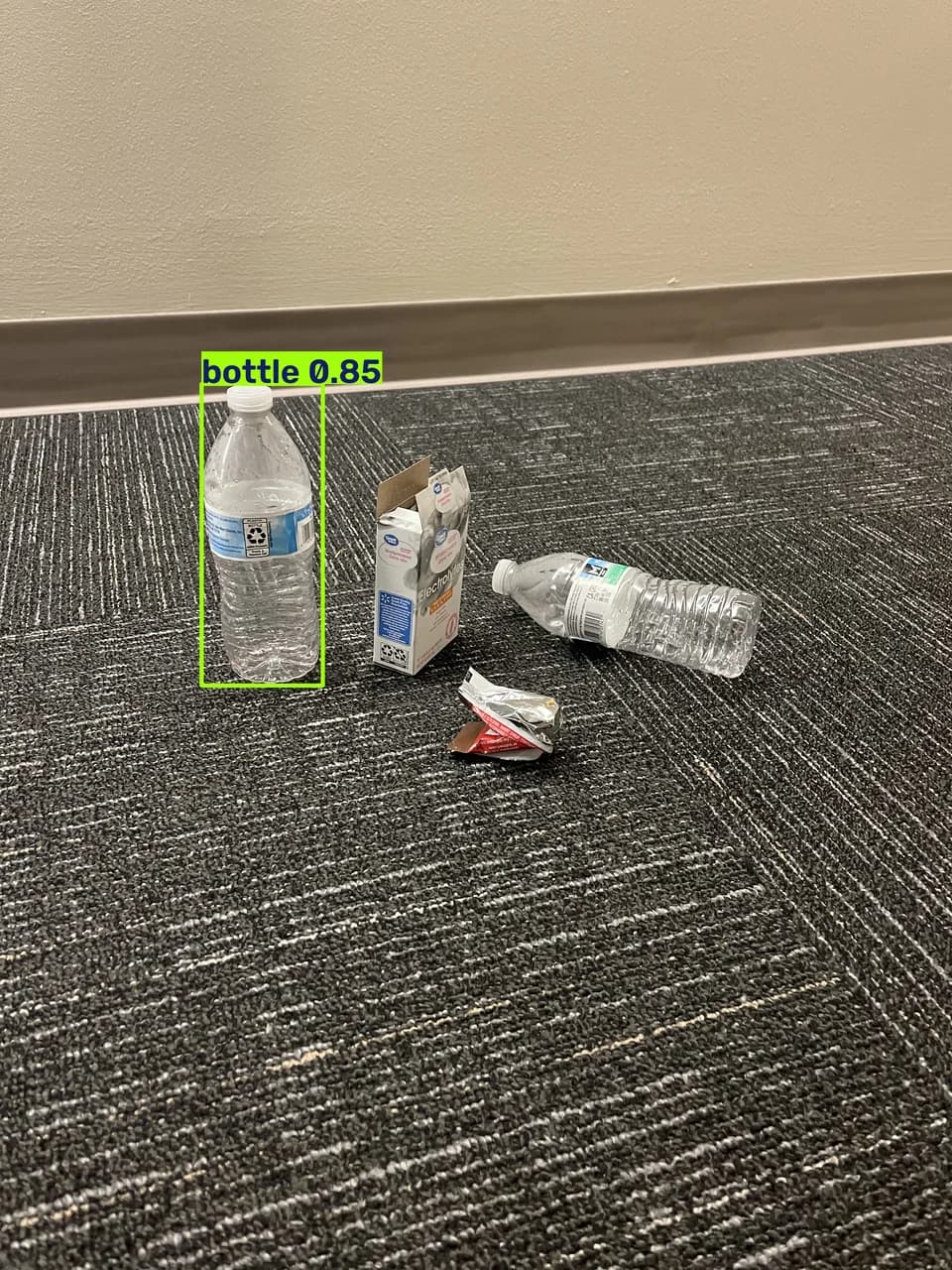
A robot looks around with its camera. AI helps it spot things that might be trash, like a bottle left on the ground.

R3-YOLO / Sample recognition outputs

A bottle on carpet among packaging and another bottle, with a green detection box labeled bottle 0.85.
Bottle / 0.85

One bottle detected among other objects.

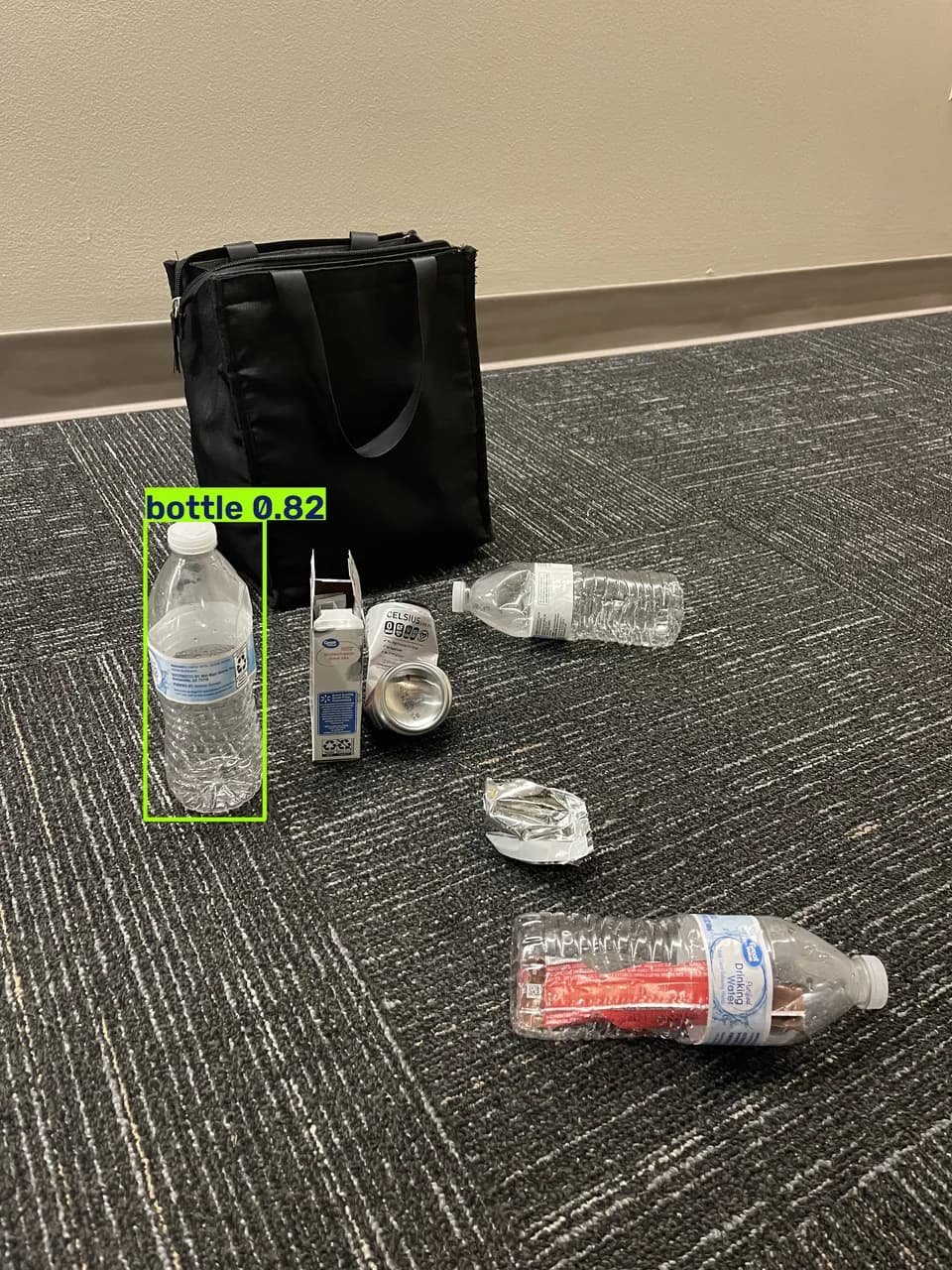
A group of bottles, packaging, and a can beside a black bag; one upright bottle is boxed and labeled bottle 0.82.
Bottle / 0.82

A detection in a busier test scene.

Green boxes mark predicted objects. Scores show model confidence, not overall accuracy. These test images do not demonstrate complete detection or a successful pickup.

A camera image becomes a possible cleanup target.

Recover / Pick it up

Let the bot help.

The plan is simple: the robot collects the litter it can safely reach and handle. If something is too big or it cannot pick it up, it leaves that item for human help.

R3AI / COMMANDAPP RENDER
Scroll to move through the render, or use the video controls. Reduced motion uses manual playback.
Collect what’s manageable. Flag what needs help.

Restore / Finish together

People take it
from here.

Those remaining items are intended to appear in R3AI Go with a location and image. People can review the task and help finish the cleanup, with specialist teams handling anything unsafe.

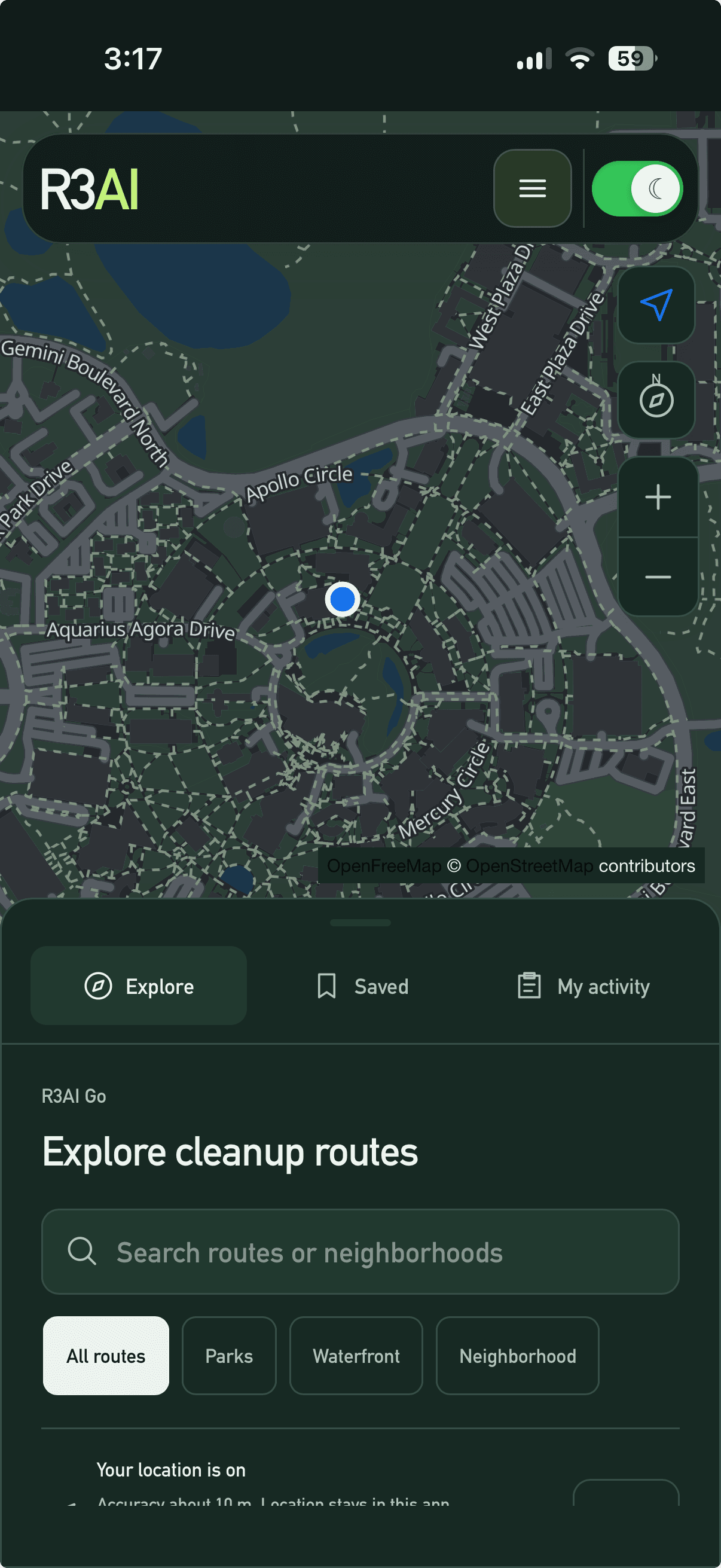
R3AI / GOAPP PREVIEW
R3AI Go on mobile: a map with a location marker above the Explore, Saved, and My activity tabs and cleanup-route search.
R3AI Go: explore cleanup routes, save places, and keep track of your activity.
One shared mission. A cleaner place for everyone.
Meet Command and Go

This is the project’s intended workflow. The current website demonstrates a simulated fleet and sample routes.

01 / Robot side

R3AI Command

See the mission
through the bot.

Watch scans become mapped cleanup routes.

Open Command
02 / People side

R3AI Go

Find a route.
Move it forward.

Explore sample cleanups and save your next step.

Open Go

The scale changes. The purpose doesn’t.

ONE PLANET.EVERY STREET.ALL OF US.

Technology gives us perspective.
People give it purpose.

Find your first step

Before you start

Three things to know.

01

It’s a prototype.

Robot missions and cleanup routes are samples—not live operations. Check conditions before visiting.

02

Choose your side.

Command shows the robots. Go shows the community cleanup routes.

03

Nothing is required.

Both open in your browser. Installation and location sharing stay optional.

Your first step

Meet the fleet.
Then find your route.